Get the most out of Folio AI
Once you're comfortable generating and editing decks, a handful of features help Folio produce sharper, more relevant, and more on-brand results. This page walks through the four that make the biggest difference: Instructions, document uploads, web search, and model selection.
Instructions
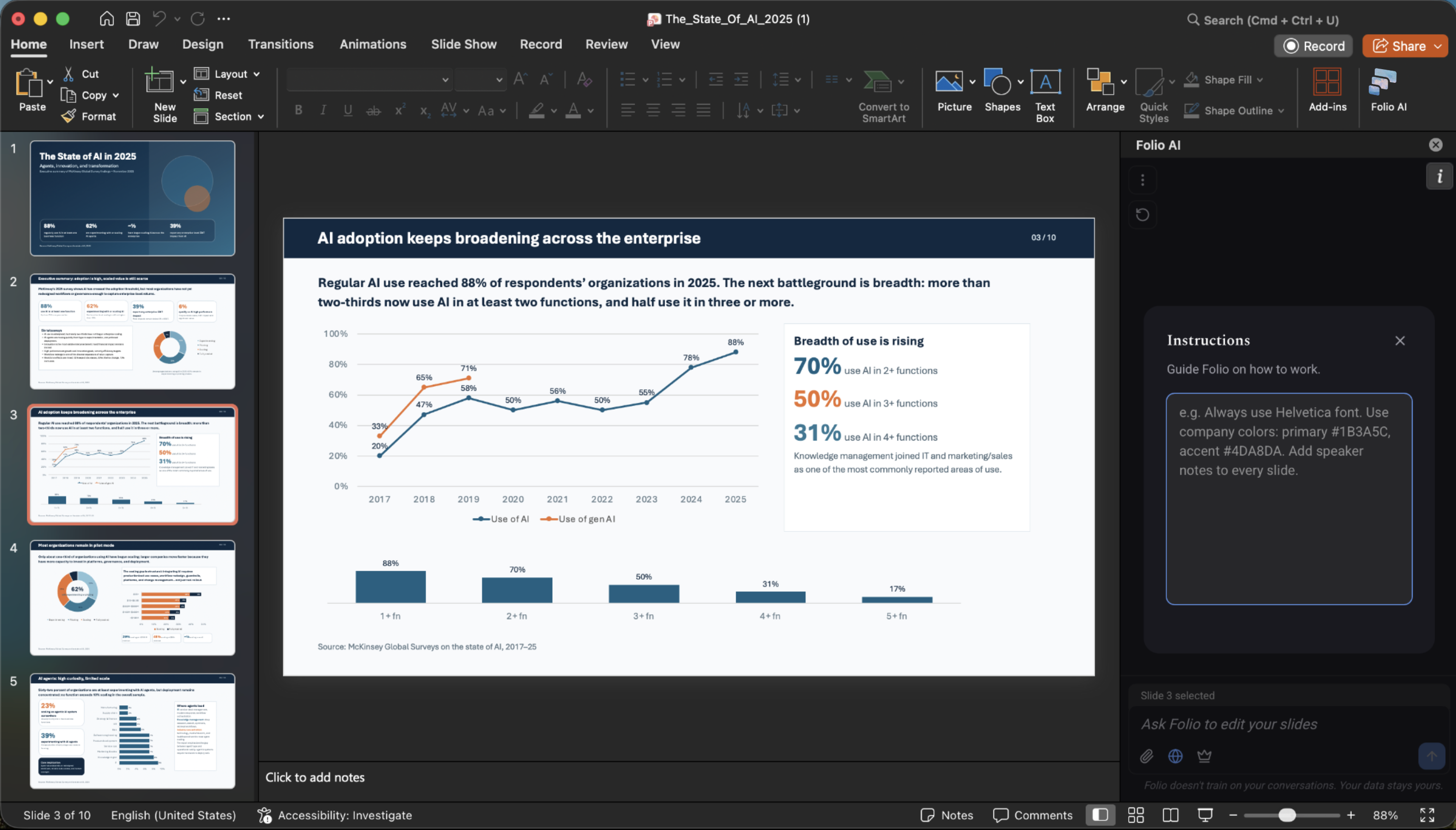
Instructions let you give Folio standing guidance that applies to every deck you work on — so you don't have to repeat yourself in each prompt. Think of them as a system prompt for your account: rules about tone, formatting, terminology, and brand that Folio follows automatically.
- Set your tone and style — for example, "always write in a concise, executive voice" or "avoid jargon."
- Lock in brand and formatting rules — preferred fonts, color usage, how to title slides, or how to format numbers and dates.
- Add domain context — describe your company, product, or audience once, and Folio keeps it in mind everywhere.
Open Instructions from the Folio side panel, write your guidance in plain language, and save. From then on it's applied to every generation and edit until you change it.
Upload documents
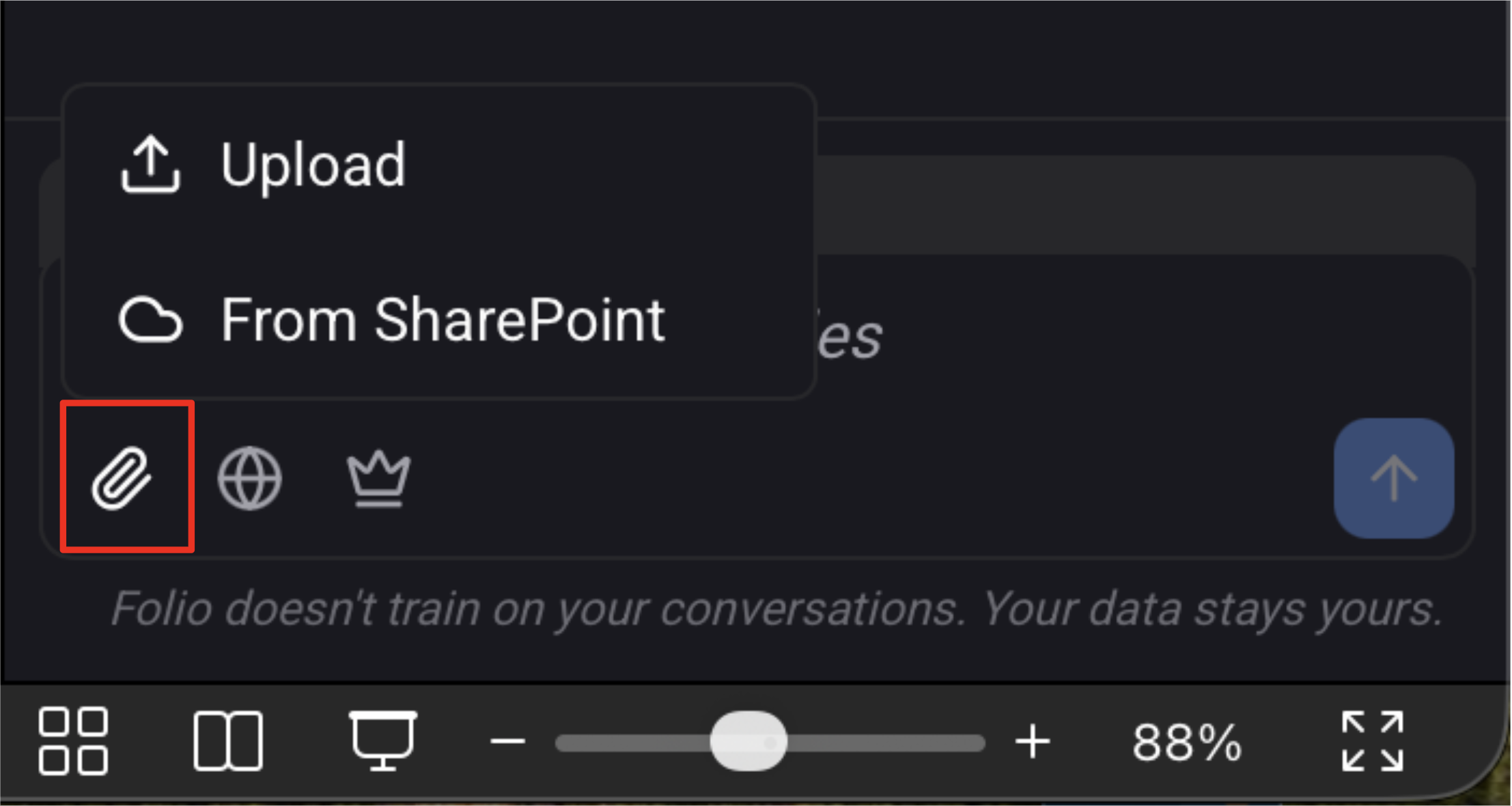
Give Folio the source material it needs by uploading your own documents. Folio reads them and uses their content as context for the slides it generates or edits — so your decks are grounded in your real data rather than generic filler.
- From your local machine — drag in reports, spreadsheets, PDFs, images, or an existing deck straight from your computer.
- From a secured SharePoint — connect to your organization's SharePoint and pull in documents directly, without downloading them first.
Folio uses uploaded files only as context for your prompt. Upload a research report and ask Folio to turn it into a summary deck, or drop in a data file and have Folio build the supporting charts.
Web search
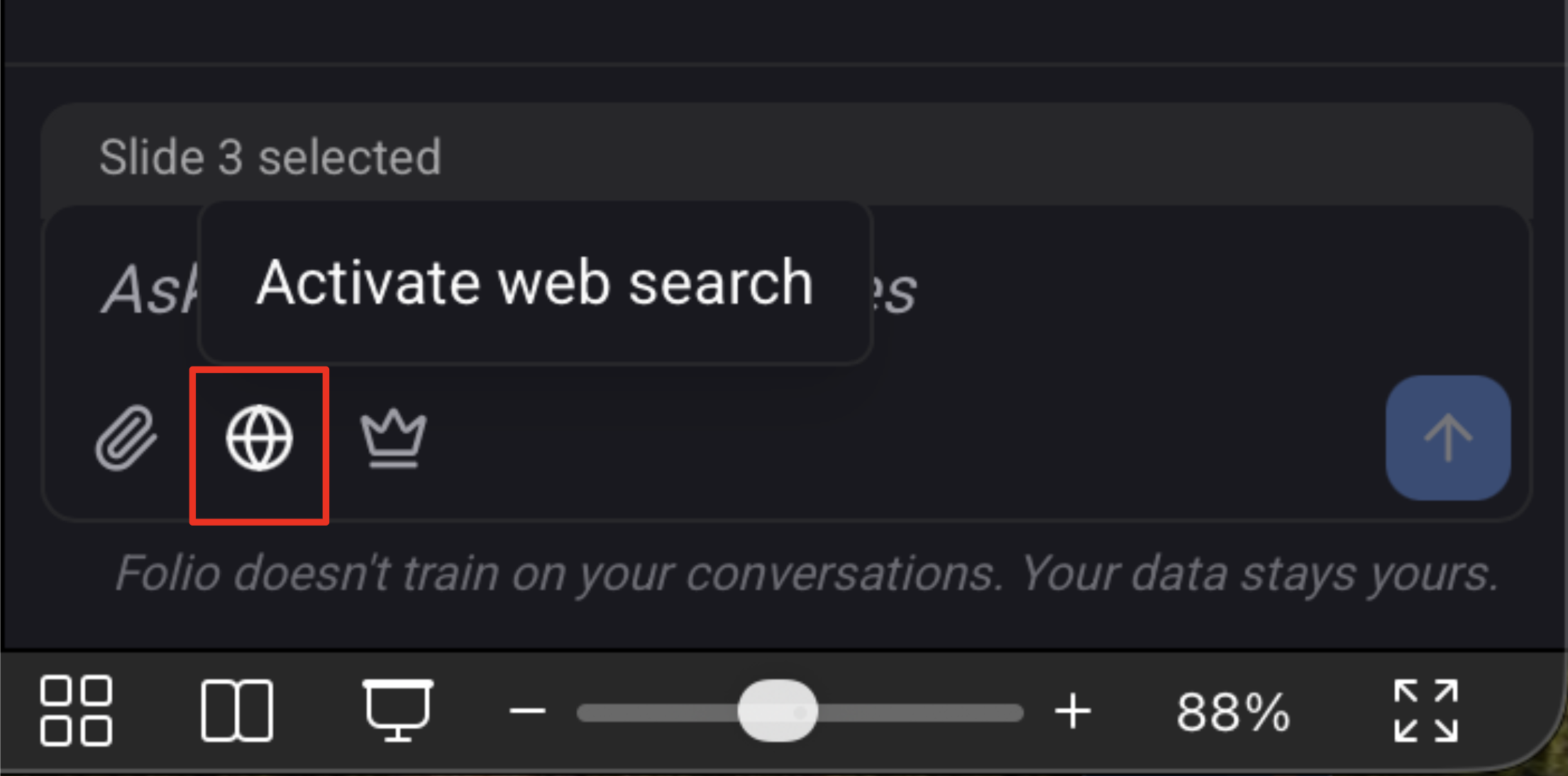
When your prompt needs information Folio doesn't already have, enable web search and the agent will fetch additional, up-to-date information from the web to inform its work.
- Pull in current facts and figures — recent market data, statistics, or news that isn't in your uploaded files.
- Research a topic on the fly — ask Folio to build a deck about a subject and let it gather the background it needs.
Toggle web search on for prompts that benefit from external context. For sensitive or fully self-contained work, leave it off so Folio relies only on your deck and uploaded documents.
Model selection
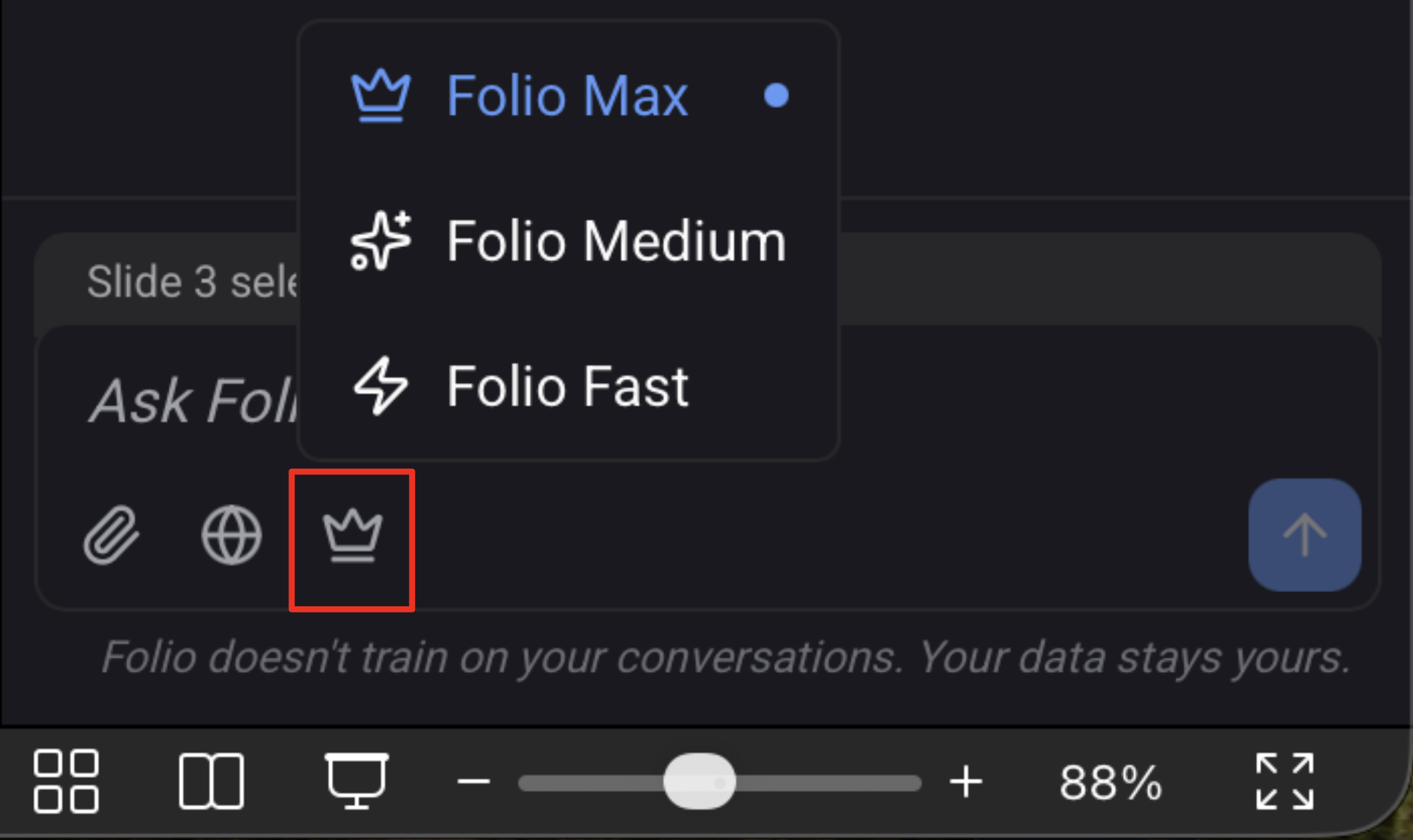
Folio lets you choose the model behind the agent so you can balance depth against speed for the task at hand.
- More reasoning power — pick the stronger model for complex decks, nuanced restructuring, or work that needs careful, multi-step thinking.
- Faster and leaner — pick the lighter model for quick edits, simple generations, and iterating rapidly when speed matters more than depth.
Switch models from the side panel whenever you like — there's no wrong choice, just the right trade-off for what you're doing right now.
Next steps
- Back to Get started
- Plans and Billing — see what's included on each plan
- Troubleshooting — fixes for common issues
- Get Support — reach our team directly